
Deploy apps from Claude - setup guide
This guide shows how to connect AppDeploy to Claude so you can deploy apps from chat and get a live URL back.
Follow the steps below to set it up once, then deploy whenever you’re ready, without leaving Claude.
Step-by-step Guide
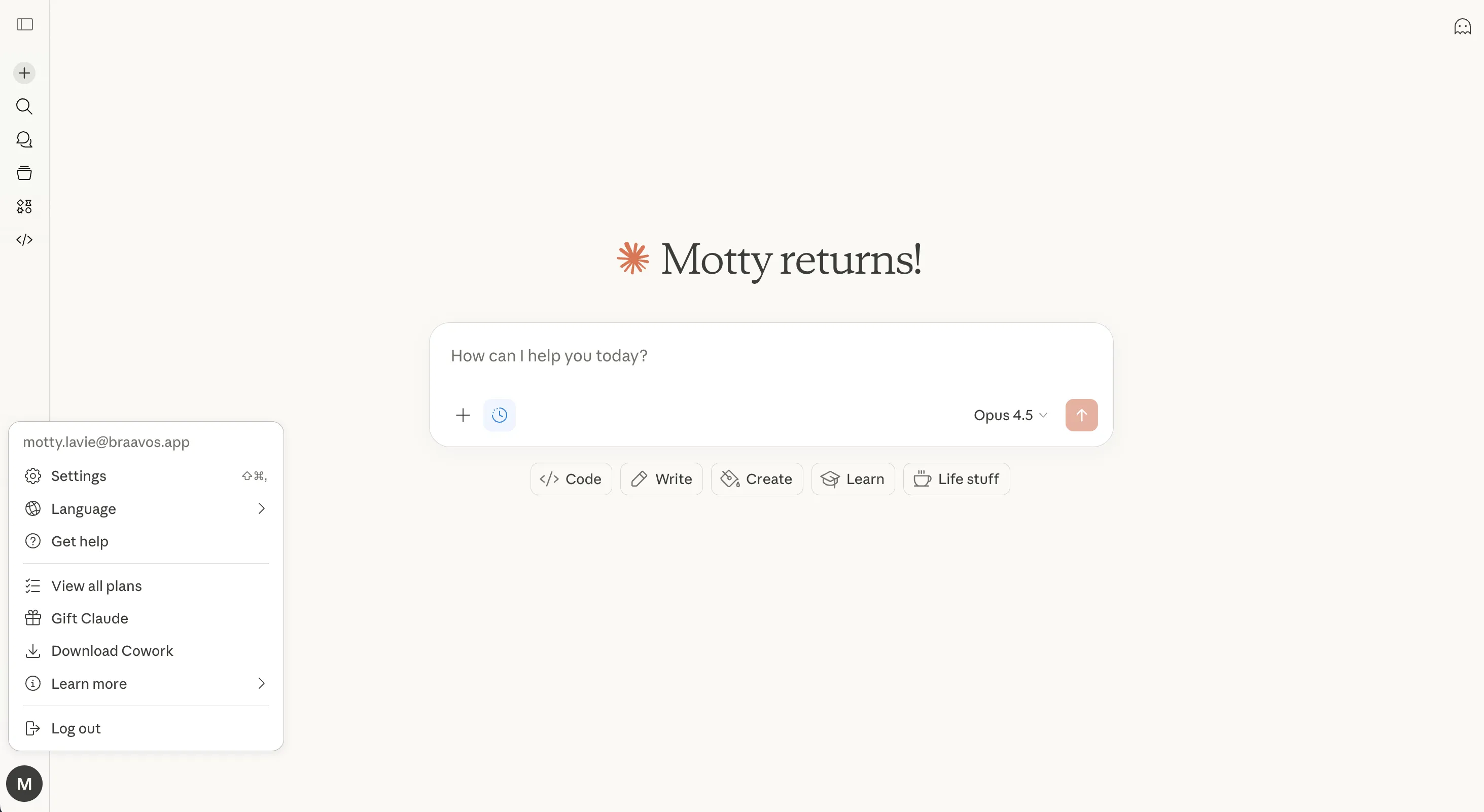
Open Claude and click Settings in the bottom-left corner
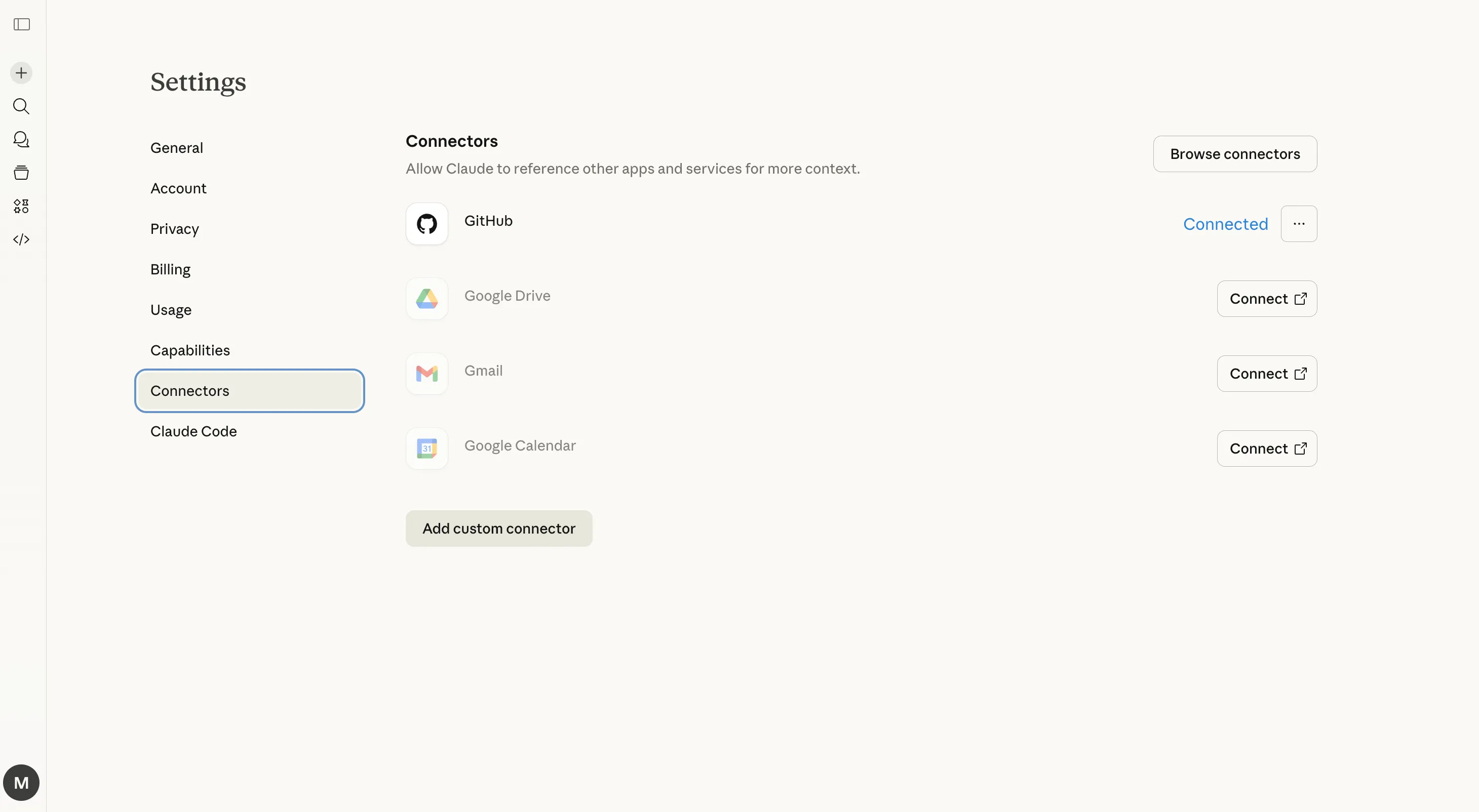
Select Connectors from the Settings menu
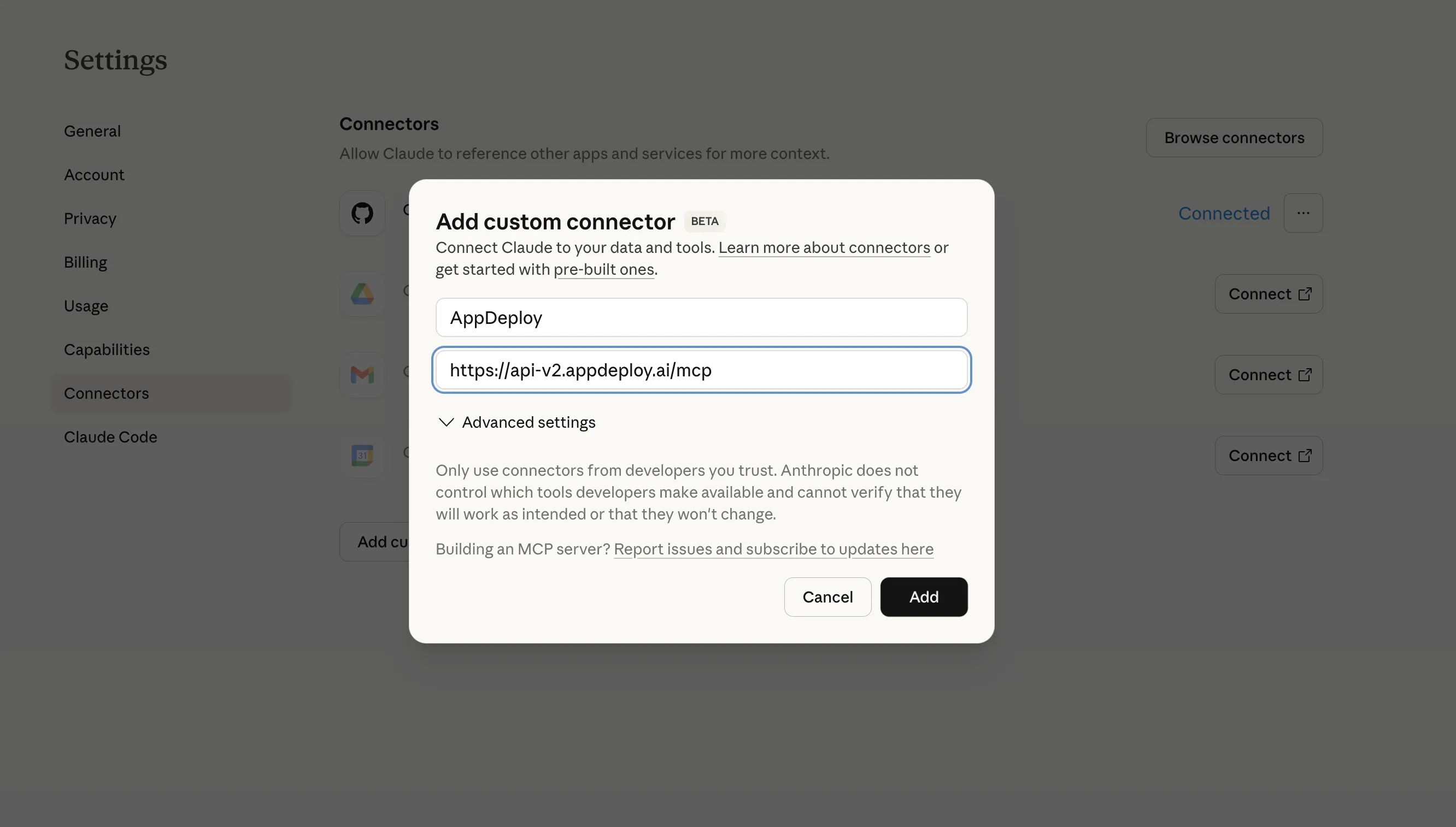
Click Add custom connector and enter:
Name:
AppDeploy
URL:
https://api-v2.appdeploy.ai/mcpThen click Add
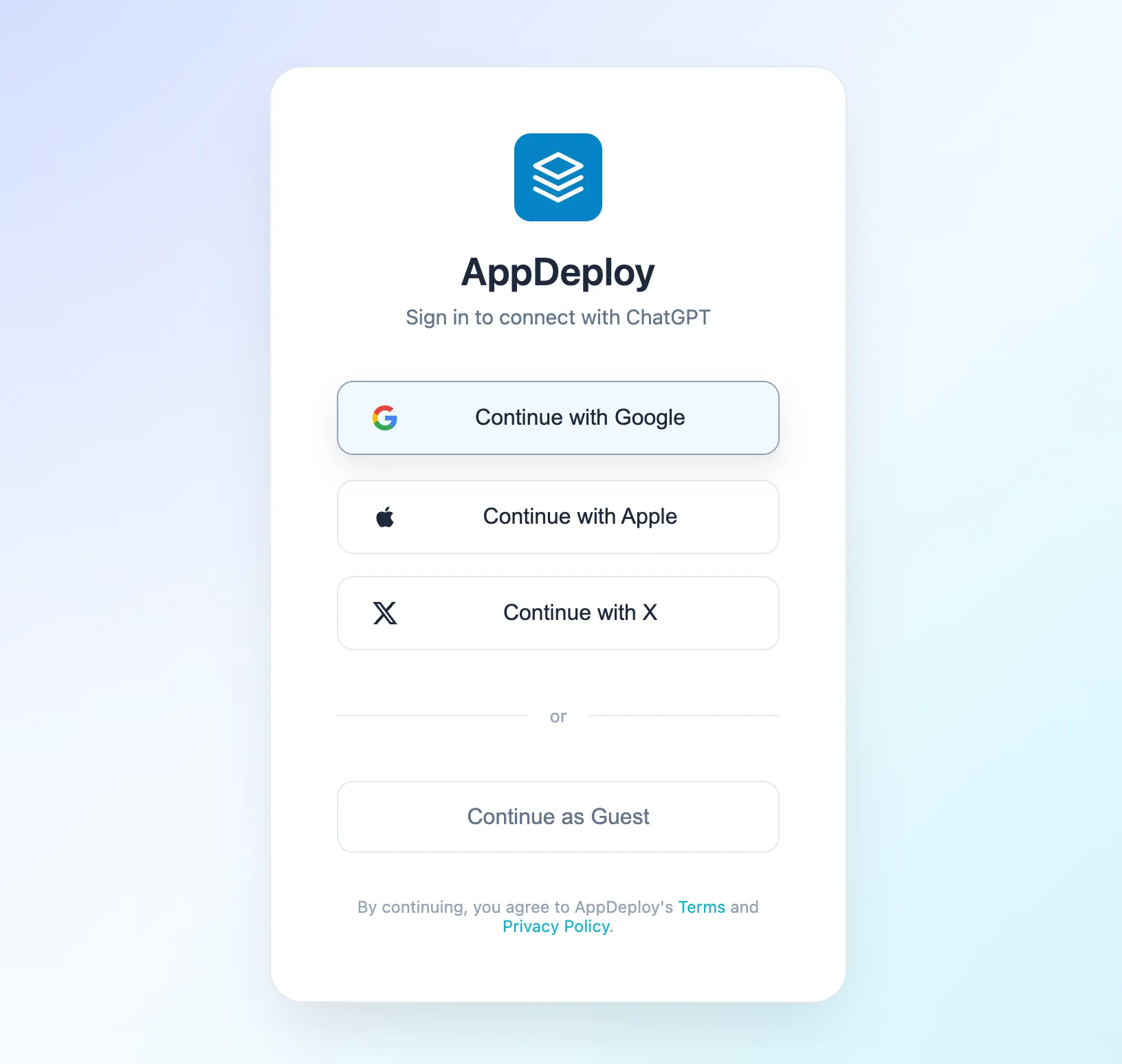
Click Connect on the AppDeploy item

An authentication screen will open. Select how you’d like to sign in to AppDeploy: Google, Apple, or Guest.
That’s it! Close the Settings window and you’re all set to deploy your first app.
For example, you can enter the following prompt:
Build and @AppDeploy a Hello Claude webpage with a global visitor counter
Need Help?
If you encounter any issues, check our troubleshooting guide or contact us at support@appdeploy.ai.